Most product pages lose the sale on basics. Not on clever layouts.
Baymard Institute's product page benchmark, updated in March 2026, rated 52% of desktop sites and 62% of mobile sites "mediocre" or worse. Nobody scored "perfect". So the bar for good product page design examples is lower than you think, and the fixes are mostly known.
Below are 15 patterns we use when we build shops. Each one has a reason behind it, from Baymard's research or from our own lab builds: Oak & Form, a furniture shop concept with swatches and shop-by-room, and Audiokind, an audio shop concept with a comparison table. We describe patterns, not other people's pages, so you can copy the idea without copying anyone.
The images: what shoppers look at first
Shoppers can't touch the product. The images do that job.
1. A lead image that shows the whole product, clean. One clear angle on a plain background. No crop that cuts off a leg or a handle. On mobile it should fill the width without forcing a scroll to reach the price.
2. A gallery that covers the questions, not just the angles. Baymard's research describes seven image types users generally need. In practice: front, back, side, detail, in use, in context, and scale. Five near-identical angles answer one question five times.
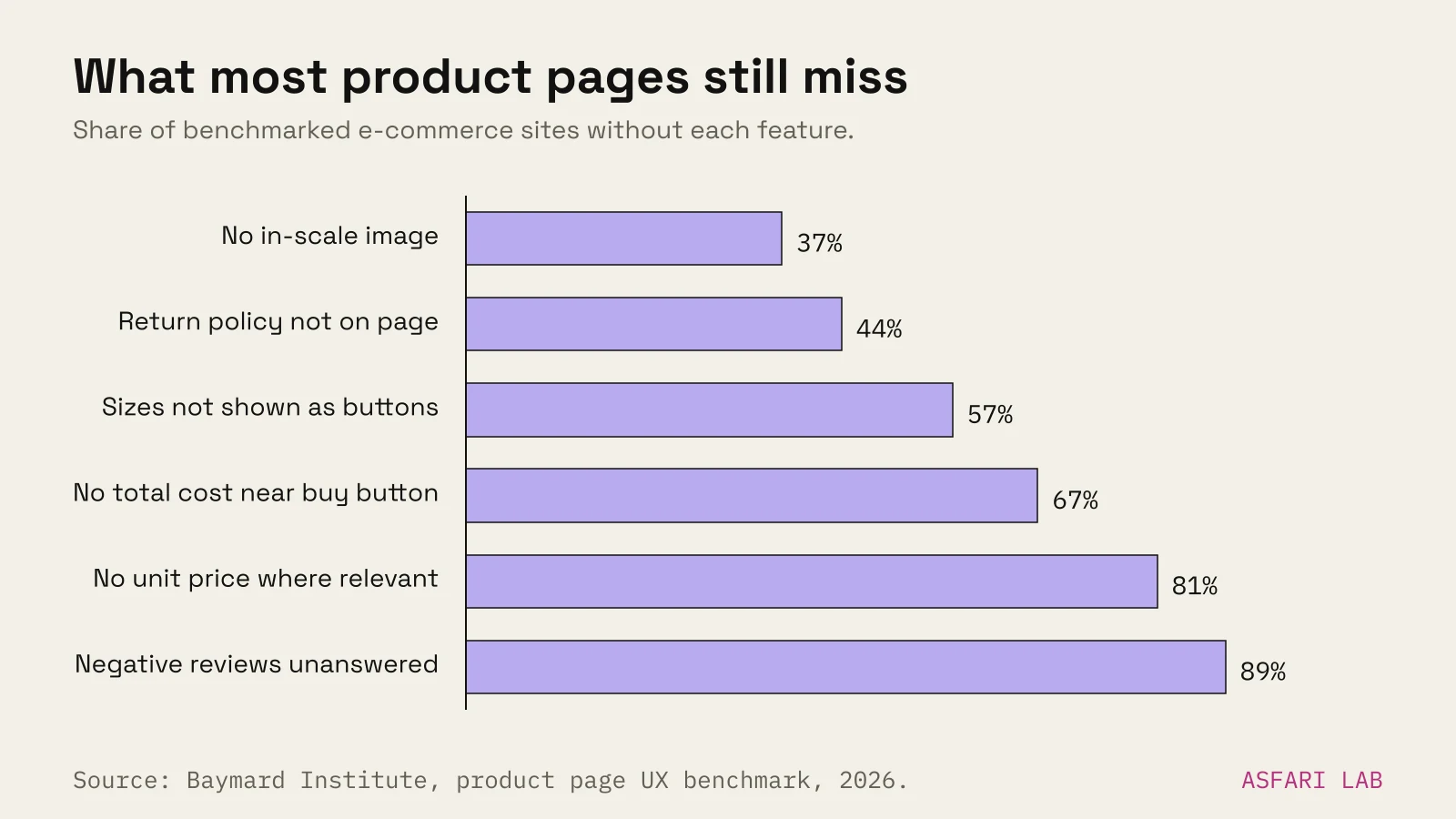
3. An image that shows size. Baymard found 37% of sites don't offer an in-scale image, while about 42% of users try to judge size from images. A chair next to a sofa. Headphones beside a coffee cup. One image saves a lot of returns.
4. Lifestyle images that sell the room, not just the item. In Oak & Form we built "shop by room". The product appears in a living room or bedroom first, then on its own. Furniture buyers picture the space before the object. The same idea works for kitchenware, lighting and textiles.
5. A 3D or 360 view when shape matters. Shopify supports 3D models as product media, and in 2022 it reported a 94% average conversion lift for merchants who added 3D content. That is merchant data, not a controlled test, so treat it as a signal. We cover setup in our guide to the Shopify 3D model viewer.
Variants and choices: make picking easy
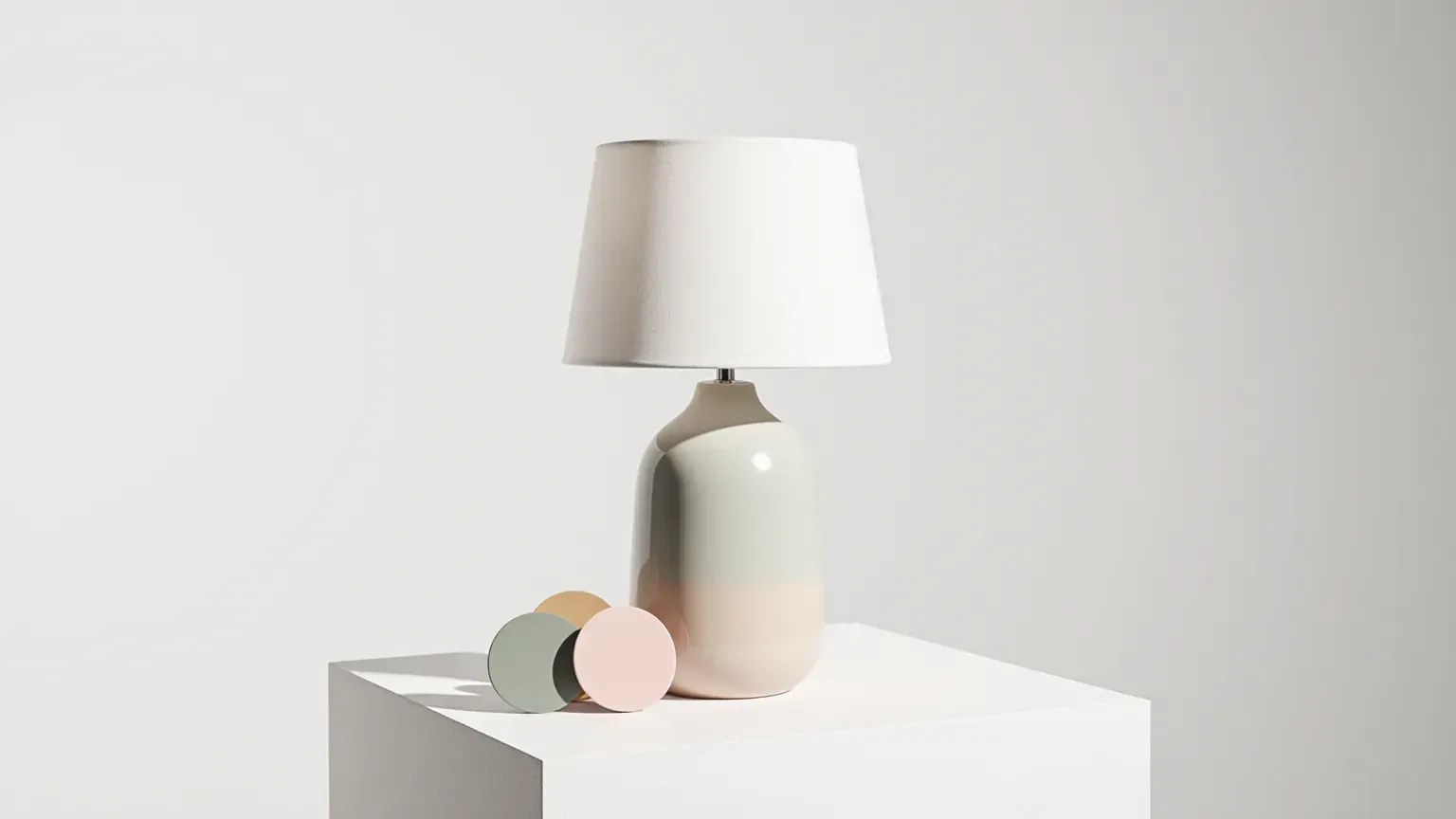
6. Colour and material swatches that change the main image. A swatch is a promise. Click "oak" and the gallery should show oak. In Oak & Form the swatches sit right under the price and change what you see, so nobody orders a finish they never saw. If you have many colourways, rendering them can cost less than shooting them; see 3D product rendering cost.
7. Sizes as buttons, not a dropdown. Baymard found 57% of sites don't use buttons for size selection. Dropdowns hide which sizes are out of stock until you open them. Buttons show everything in one look, and greyed-out sizes are honest.
8. A size guide next to the size picker. Not in the footer. Not in a tab three scrolls down. Put the link where the doubt starts.
Price and delivery: no surprises later
Baymard's cart abandonment survey lists extra costs that are too high (shipping, tax, fees) as the top reason, at 40%. Slow delivery is cited by 20%. Both start on the product page.
9. One clear price, with VAT treatment stated. Show the price once, large. If there is a sale, show the old price struck through and the saving. For consumers in the EU, show the price including VAT and say so. Baymard also found 81% of sites skip a unit price for products sold in different quantities or sizes.
10. A delivery date, not a delivery speed. "Arrives Thu 30 Oct" beats "3–7 business days". In Baymard's testing, people given only a speed stopped to work out the date, and some hesitated or left. A date range is fine if it is accurate. Put it right under the buy button.
11. Shipping cost and returns, one line each. Baymard found 67% of sites don't show an estimated total near the buy section, and 44% don't show or link the return policy on the product page. In a separate survey, 60% of respondents said they look for return information there. One short line, "Free returns within 30 days", does a lot. Fix the rest in your checkout.
12. A sticky add-to-cart on mobile. On a phone, the buy button scrolls away fast. A slim bar with price and "Add to cart" that appears once the main button leaves the screen keeps the action close. Keep it small, so it doesn't cover content or the cookie banner.
Proof and detail: answer the last doubts
13. Reviews you can scan, including the bad ones. Show the star average, a rating distribution, and photos from buyers. Let people filter by rating. Baymard's research has 19 guidelines on reviews alone, its biggest product page topic. One easy win: reply to negative reviews. Baymard found 89% of sites don't.
14. A comparison table when products are close. In Audiokind we built a comparison table so buyers can line up similar audio products on the specs that matter, in one view. It stops people opening five tabs. Keep it to three or four products and the specs that actually differ.
15. Specs as a clean sheet, and a description that answers objections. Dimensions, materials, care, warranty. Use a two-column list, with units. The description should cover what the specs can't: how it feels, who it is for, what it doesn't do. If you are writing it for search, answer the questions people type, not the ones you wish they asked.
Product page design examples on Shopify and WooCommerce
Most of these patterns are built in or one setting away. When we build online shops, they go in as part of the theme, not as extra apps.
| Pattern | Shopify | WooCommerce |
|---|---|---|
| Swatches that swap images | Theme setting in many current themes; variant images | Variation images; swatch plugin often needed |
| Sizes as buttons | Theme option ("pills" or buttons) | Plugin or custom template |
| Delivery date | App or custom code with your carrier's lead times | Plugin or custom code |
| 3D model | Built in as product media (GLB or USDZ) | Plugin or custom viewer |
| Sticky add-to-cart | Many themes include it | Theme feature or plugin |
| Comparison table | Metafields plus a custom section | Custom fields plus template |
Every extra app adds script weight. We prefer theme features and a little custom code over stacking apps. Pages that load slowly undo the work above.
Two more checks before you call a page done. Can someone use it with only a keyboard? Do the swatches have text names, not just colours? Those matter for shoppers and, since June 2025, often for the law; see the European Accessibility Act for online shops.
Where our 3D renders fit
Product photos are the biggest cost on many product pages. Variants make it worse.
Our 3D renders (a perfume hero, an exploded sneaker, a serum bottle, headphones) show what a single model can do: a clean lead image, a detail macro, every colourway, an exploded view of what's inside. The same model can become a 3D viewer on the page. That covers patterns 1, 2, 5 and 6 from one source file.