
If you have website traffic but no sales, the problem is usually one of three things. The wrong people are arriving. The right people can't tell what to do. Or they don't trust you enough to do it.
All three can be checked in an afternoon with free tools. Most fixes are copy and layout changes, not a new website.
Here are the nine reasons we see most often, in the order we'd check them.
First, set up the free tools
You need three things to diagnose this properly.
- Google Search Console. Free. Shows which searches bring people to your site and how often they click.
- Microsoft Clarity. Free, and Microsoft says there's no obligation to upgrade. Gives you heatmaps and recordings of real visits.
- PageSpeed Insights. Free. Tests speed on mobile and desktop.
Add a simple event in your analytics for your main goal: form sent, call tapped, order placed. Without it, you're guessing.
1. The traffic is the wrong traffic
Open Search Console, then Performance. Look at the queries.
If you sell wedding cakes in Tallinn and your top query is "how to make sourdough", your traffic is real but useless. Blog posts often attract readers, not buyers.
Fix: Write pages for the searches buyers make: your service plus your city, your service plus "price". Link every popular blog post to the service it relates to.
2. The offer isn't clear in 10 seconds
Nielsen Norman Group found people often leave a page within 10 to 20 seconds. The first ten seconds carry the highest risk. If your headline is "Quality you can trust", nobody knows what you sell.
Check: Show your home page to someone who doesn't know your business for five seconds. Ask what you sell and to whom.
Fix: One line. What you do, for whom, where. Put it at the top.
3. It's slow or broken on phones
StatCounter puts mobile at 55.41% of web traffic in Europe in September 2026. If your site was designed on a laptop and never tested on a phone, more than half your visitors get the worse version.
Check: PageSpeed Insights on mobile. Google's targets: main content loads within 2.5 seconds, the page responds within 200 ms, layout shift stays at 0.1 or less. Then open the site on your own phone and try to buy or book.
Fix: Compress images. Remove sliders and autoplay video above the fold. Make buttons big enough to tap.
4. There's no single next step
Five buttons ("Learn more", "Contact", "Follow us", "Newsletter", "Book") means none of them stand out. People stall.
Check: In Clarity, open the click heatmap for your home page. Are clicks spread across the menu, the logo and the footer, but not your main button?
Fix: Pick one action per page. Make it the most visible thing. Repeat it after each section. A focused landing page often beats a full website here; see landing page vs website.
5. Not enough proof
People check reviews before they check you. BrightLocal's 2026 survey of 1,002 US consumers found 47% won't use a business with fewer than 20 reviews. 74% only care about reviews from the last three months. 68% want four stars or more.
Those are US numbers, but the habit travels.
Check: Count your Google reviews. Note the date of the newest one. Look for reviews on your website.
Fix: Ask every happy customer, every week. Show recent reviews near your main button. Our guide on how to get Google reviews has the scripts.
The same survey found 54% visit a business's website after reading positive reviews. Reviews send people to your site; the site has to finish the job.
6. Prices are hidden
"Contact us for a quote" sounds safe. To a visitor, it sounds expensive. Nielsen Norman Group has long advised showing prices for common scenarios, because people use price to shortlist. If they can't find it, you're off the list before you're asked.
Fix: Show a starting price, a typical example or a price range. You can still quote exactly later.
7. The form is too long, or broken
Every field is a reason to quit. Baymard's checkout research found the average US checkout shows 14.88 form fields, while 7 to 8 is achievable. Contact forms suffer the same way.
And sometimes the form simply doesn't work. Messages go to an old inbox or to spam.
Check: Fill in your own form on a phone. Time it. Check the message arrives. In Clarity, watch recordings of people who start the form and leave.
Fix: Name, email or phone, one message box. Ask the rest later.
8. Surprise costs or a clumsy checkout
For shops, this is the big one. Baymard puts average cart abandonment at 70.22%. The top reason, given by 40% of shoppers who left, is extra costs such as shipping, taxes and fees. 19% didn't trust the site with their card. 18% were asked to create an account.
Fix: Show delivery costs on the product page. Offer guest checkout. Show payment logos and a returns policy near the button.
9. Trust gaps in the details
Small things add up. No address. No real photos. A copyright year from 2021. An email at a free webmail domain. A broken Instagram link.
In the EU, you also need your business name, address, email and registration details easy to find, under the e-Commerce Directive. Missing them looks shady, not just non-compliant.
Check: Read your own site as a stranger. Would you send this business money?
Fix: Real photos, full contact details, a current footer, a working privacy policy. Our small business website checklist covers the full list.
Website traffic but no sales: which fix first
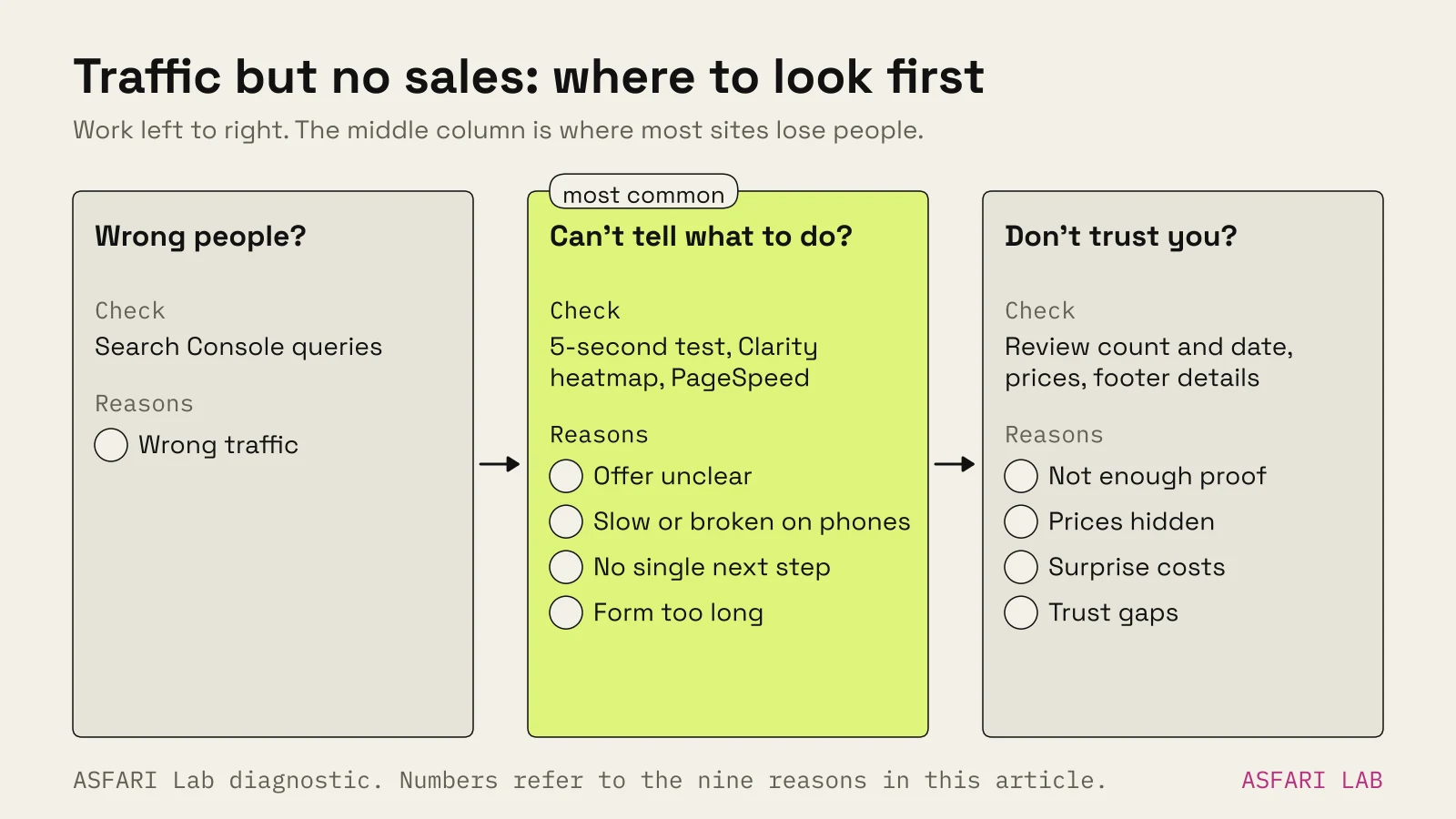
- Check the traffic first. If it's the wrong people, nothing else matters yet.
- Then the first screen. Offer, button, speed on mobile.
- Then proof and prices.
- Then forms and checkout.
Change one thing at a time. Give each change two to four weeks before you judge it. Small sites don't get enough visits for faster verdicts.