
Who owns my website? Legally, it's four separate questions: who holds the domain, whose account the hosting is on, who has the rights to the design and code, and what your contract says.
You can own one and not the others. Plenty of businesses pay for a site for years and then find the domain is in the designer's name, the hosting is on the agency's account, and the contract says nothing about code.
You can check most of this yourself in an afternoon. Here's how, and what to fix.
This is practical guidance, not legal advice. For a contract that matters, ask a lawyer in your country.
The four parts of "owning" a website
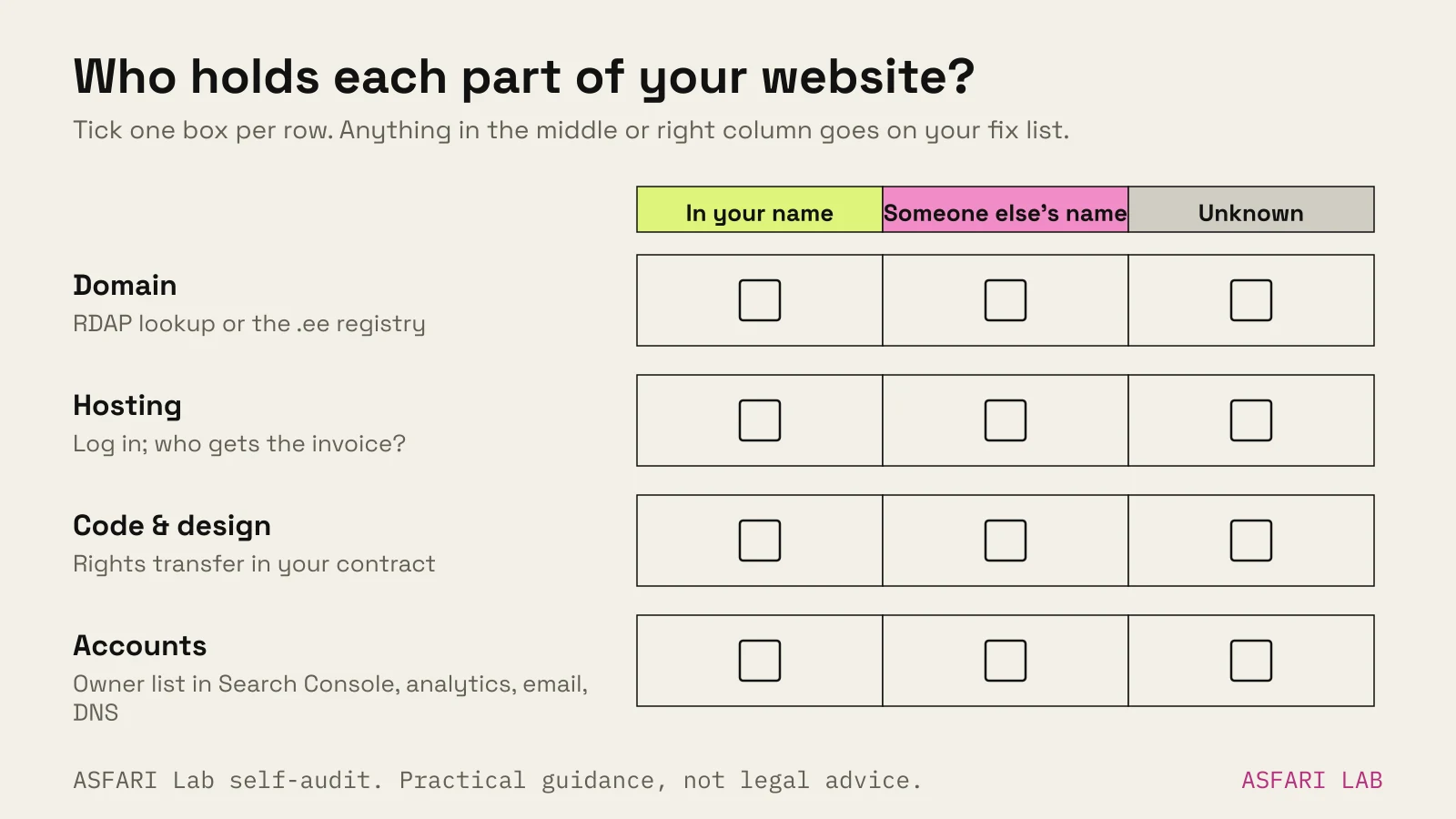
| Part | Who should hold it | How to check |
|---|---|---|
| Domain | Your business, as registrant | RDAP lookup, or the .ee registry for Estonian domains |
| Hosting / platform account | Your business, designer added as a user | Log in yourself; check who gets the invoice |
| Design and code rights | You, after final payment, in writing | Your contract |
| Supporting accounts | You: Search Console, analytics, email, DNS | Owner list in each tool |
If any row says "the designer" or "I'm not sure", that's what to fix.
Who owns my website domain? Check the registrant
The domain owner is the registrant. That's the person or company the registry lists as the holder. The registrar is just the shop it was bought through.
For .com, .eu and most other domains
Since 28 January 2025, ICANN treats RDAP as the official source of registration data for generic domains like .com, replacing the old WHOIS service. You can look up any domain at ICANN's free tool, lookup.icann.org.
What you'll usually see: the registrar, the registration and expiry dates, and often a redacted registrant. Privacy rules hide personal details. If the registrant is hidden, log in to the registrar account. If you can't, the account isn't yours.
For .ee domains
Estonian domains are run by the Estonian Internet Foundation (EIS). Search a domain on internet.ee. For companies, contact details are public. For private persons, they're hidden unless the owner consents.
The cleaner check is the .ee Registrant portal at registrant.internet.ee. Log in with an Estonian ID card, e-Resident card or Mobile-ID. It lists every .ee domain linked to you, whichever registrar holds it, including where you're only the admin or technical contact. If your company's domain isn't there, someone else holds it.
If the domain isn't in your name
Ask the current holder to change the registrant to your company. For .ee, the new owner applies through the registrar with the current registrant's signed consent. At registrar Zone, for example, EIS emails the current owner a link to approve, valid for 48 hours. No response means the change is rejected.
Two timing rules worth knowing for generic domains, from ICANN:
- After a change of registrant name, organisation or email, a transfer to another registrar can be blocked for 60 days.
- Your registrar must give you the transfer (auth or EPP) code within five calendar days if you can't generate it yourself.
Also check the renewal date. An expired domain can be lost, and the site goes with it.
Who hosts my website? Find the account and get access
Hosting is where the files live. On builders like Wix or Squarespace, the platform is the host.
To find out who hosts your website:
- Look at the name servers in the RDAP or .ee lookup. They often name the DNS or hosting provider. The .ee FAQ notes this as the usual way to spot the host.
- Follow the invoice. Whoever pays the hosting bill controls the account.
- Ask for owner access. Not a shared password. Your own login, with owner or admin rights, on the hosting, the platform and the DNS.
If the designer bills you for hosting as part of a package, that can be fine. But you should know the provider, have your own login, and have a way to move.
Don't forget the accounts around the site. Google Search Console lets each property have verified owners, delegated owners, full users and restricted users. Only owners can add or remove users. You should be a verified owner, and your designer a full user. The same goes for analytics, email, and your Google Business Profile.
Code, design and content: who holds the rights?
This is where most people assume, and most contracts are silent.
Copyright in design and code starts with whoever created it. Under the EU Software Directive, when an employee writes a program as part of their job, the employer holds the economic rights, unless agreed otherwise. A freelancer or agency is not your employee, so don't assume the same applies.
Estonian law adds its own wrinkles. Law firm NJORD notes that even for employees, rights in computer programs aren't transferred automatically. The employer gets an exclusive licence instead, unless agreed otherwise. Moral rights, like the right to be named as author, can't be transferred at all.
The practical answer is the same everywhere: put it in writing. Your contract should say who holds or may use the design, code and content once you've paid in full.
Common exceptions you should expect, and accept if they're named:
- Fonts are licensed, not sold. The licence should be in your name or transferable.
- Stock photos and video are licensed for specific uses.
- The designer's reusable components, such as a starter theme or code library, may stay theirs, with a permanent licence for you to use them.
- Plugins and apps are licensed by their makers.
Builder lock-in: owning the content, renting the site
Website builders are rented. You own your words and images, but not the platform they run on.
Wix says plainly that your site must be hosted on Wix's servers and can't be exported to another host. It also says the content you create belongs to you. Squarespace can export some content to a WordPress file, but not style settings, custom CSS, store, portfolio or several other page types.
That's not a reason to avoid builders. It's a reason to:
- keep your own copies of all text and images;
- hold the domain separately, in your name;
- budget for a rebuild, not a migration, if you ever leave.
The trade-offs are in website builder vs web designer. Platform and hosting costs over time are in website maintenance cost.
Web design contract template: clauses to include
You don't need a long contract. You need these clauses, in plain words.
- Scope. Pages, features, languages, rounds of revisions. What's out.
- Price and payment schedule. Milestones, and what happens to rights if you stop paying.
- Ownership on payment. Domain registered to the client. Hosting and platform accounts in the client's name. On final payment, rights in the custom design, code and content pass to the client, or the client gets an exclusive, permanent licence.
- Third-party items. List fonts, stock, plugins and the designer's own components, with who licenses what.
- Handover. Logins, source files (design files and code repository), and documentation delivered at launch.
- Personal data. If the designer hosts or handles your customers' data, the GDPR requires a processing contract covering what's processed, for how long, and what happens to the data at the end.
- Portfolio use. Whether the designer can show the work.
- Support and exit. What's included after launch, and how either side can end it without holding the site hostage.
Before you sign, run through our questions to ask a web designer. Questions 9 to 12 are all about ownership.
How we handle it
On our Websites & apps service, handover is a step, not an afterthought. The page puts our position in four words: "Your files, your accounts." In practice that means the domain, hosting and tools are set up in your name, and we're added as users.