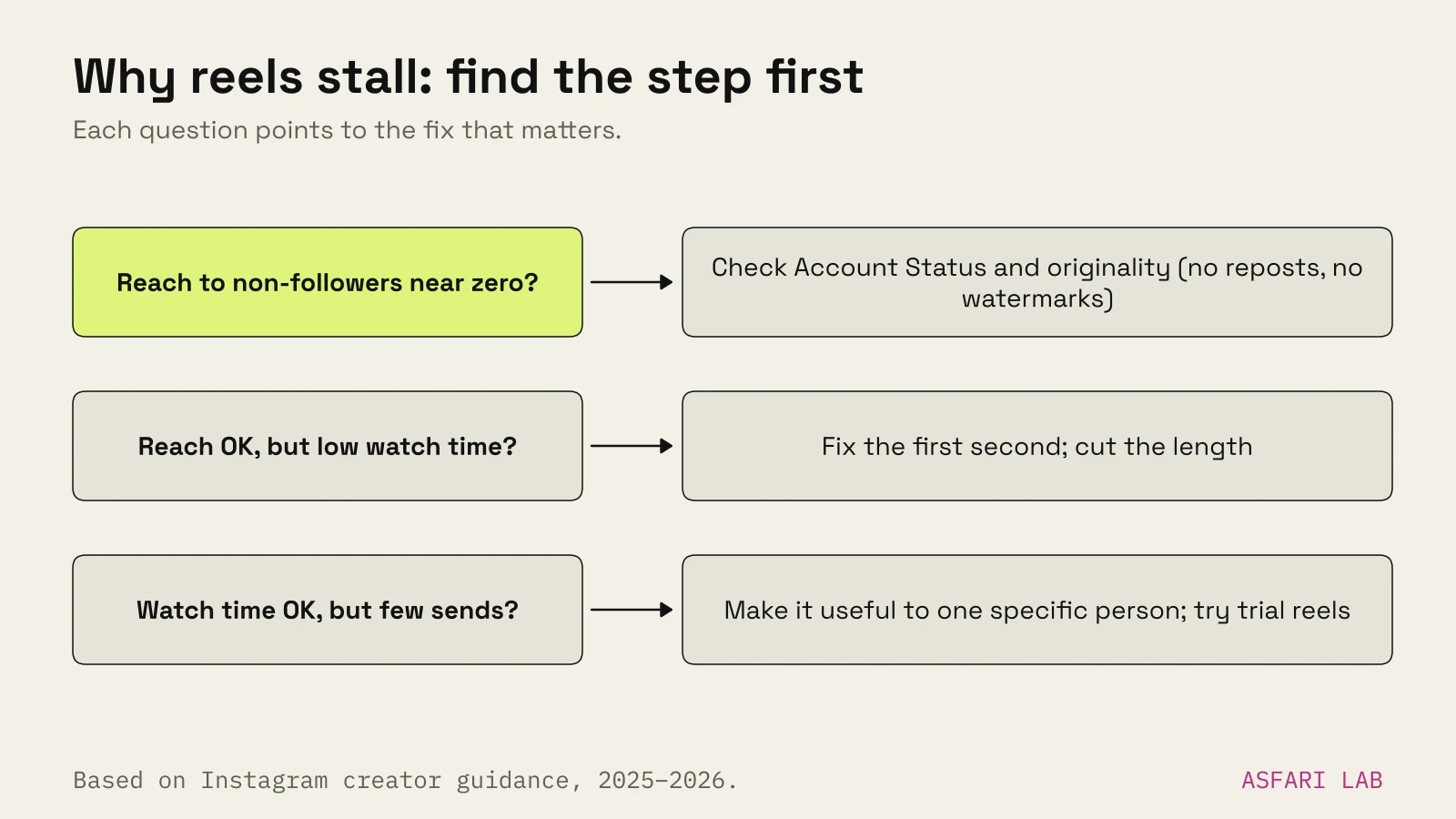
If your reels are not getting views, the cause is usually one of three things. Your account or the reel isn't eligible to be recommended. The reel looks unoriginal to Instagram. Or people swipe away in the first second.
The first two are switches. You can check them in five minutes. The third is craft, and that's where most views are lost.
Work down this list in order. Don't change everything at once, or you won't know what fixed it.
1. Check you're eligible to be recommended
Most new views come from people who don't follow you. Instagram only shows your reel to them if your account and the reel are eligible for recommendations.
Instagram's creator guidance sets out the basics:
- The account must be public. Business and creator accounts are public by default, but check.
- Recent guideline violations count. Removed posts, or repeated problems, can make the whole account ineligible for a period. So can issues in your bio or profile photo.
- Some topics are held to a higher standard. Instagram's recommendation guidelines name categories like regulated products, cosmetic procedures, exaggerated health claims and misleading financial offers. Followers can still see them; strangers often won't.
How to check: on a professional account, open Settings, then Account Status. It shows whether anything is limiting recommendations, and lets you request a review if you think it's a mistake.
Then open Insights for any reel and look at the split between followers and non-followers. If non-followers are near zero across every reel, eligibility is the first suspect.
2. Reels suddenly not getting views? Look at originality
If views dropped off a cliff rather than slowly, originality is the next suspect.
Instagram updated its ranking in April 2024 to favour original creators. When it finds identical copies of a reel, it recommends the original instead. Accounts that repeatedly post content they didn't create or meaningfully change can be removed from recommendations.
In April 2026 Instagram extended this beyond reels to photos and carousels. Accounts are judged over a rolling 30-day window. If most of what you post in a month is reposts, you're treated as an aggregator and lose reach to non-followers. Followers still see your posts.
For a business, the traps are usually innocent:
- Watermarks. Instagram's guidance is that eligible content has no visible watermarks. A clip exported from another app, with its logo in the corner, counts against you.
- Reposted supplier or brand footage. If the same video appears on ten stockists' accounts, only one is the original.
- Recycled clips. Blurry, re-saved or visibly low-quality video is named as something to avoid.
The fix: film your own footage, export clean files without third-party logos, and when you share someone else's work use the repost button, a collab or a story share, which keep the credit.
3. Fix the first second
This is where most reels lose.
In January 2025 Mosseri named watch time, likes and sends as the top three ranking signals. He told creators to watch average watch time, likes per reach and sends per reach. If people swipe in the first second, watch time collapses and Instagram stops showing the reel to new people.
Instagram's own tips say to hook viewers in the first three seconds. Meta's ads team says the same thing in different words: viewers decide in the first few seconds.
What a good first second looks like:
- The subject is already in frame. Not a logo, not a greeting, not a slow pan towards it.
- Something is moving or changing. A knife going in, a lid lifting, a light sweeping across.
- The words are on screen. Many people watch silent. Our own autumn-offer reel is silent and still reads, because the hook is written in frame one.
We wrote 30 of these openers, for different kinds of business, in reel hooks for small businesses.
4. Check length and the loop
Long reels don't fail because they're long. They fail because fewer people finish them, and completion feeds watch time.
Instagram's creator guidance is to keep reels to three minutes or less if you want them recommended. Instagram has said repeatedly that it only recommends reels under three minutes to non-followers, even though you can now record much longer.
For most business reels, that ceiling is irrelevant. You need 7–30 seconds. Our autumn-offer reel is 20 seconds and loops: the last frame leads back into the first, so some people watch it twice. That counts as watch time too.
More on picking a length by goal in how long should a business reel be.
5. Give people a reason to send it
Sends matter slightly more than likes when Instagram is deciding whether to show a reel to non-followers, according to Mosseri.
People send reels that are useful to a specific friend, or that say something about them. "What €10 gets you here" goes to the friend you have breakfast with. "How to measure your ring size at home" goes to the partner. A brand film with no information goes nowhere.
Ask before you post: who would someone forward this to, and why?
6. Trial reels not getting views?
Trial reels let you test a reel on non-followers before your followers see it. Instagram launched them in December 2024.
How they work:
- You turn on the Trial toggle before sharing.
- The reel goes to non-followers. It stays off your grid and Reels tab.
- After about 24 hours you see views, likes, comments and shares.
- You can share it with everyone manually, or let Instagram do it if it performs well in the first 72 hours.
If trial reels get no views, check eligibility first. A trial goes only to people who don't follow you, so an account that isn't eligible for recommendations has nobody to show it to. Third-party guides citing Instagram's help centre also mention follower minimums for access; check the current requirement in your app.
If eligibility is fine, treat a weak trial as data, not failure. Change the first two seconds, keep everything else, and run it again. That's why every reel in our Reels & video ads pack comes with three hook options.
7. Captions, text and the small stuff
These won't rescue a weak reel, but they can hold back a good one.
- Keep text off most of the screen. Instagram's guidance is to avoid text covering most of the frame, and to use 9:16 with no borders.
- Write a caption that says what it is. Plain words help Instagram understand the topic and help people searching.
- Burn in subtitles. For anyone watching silently.
- Use licensed music. Many library tracks are for personal use only. On a business account a muted or blocked reel gets no views at all.